
LNH31.
Cross-border trade · B2B · Amazon
Amazon FBA7 min read·
Amazon Seller Account Security: Protecting Your FBA Business from Hijacking
Comprehensive guide for Taiwan brands to secure Amazon seller accounts with two-factor authentication, permission management, and incident response to prevent account hijacking and listing suppression.
Amazon account securitytwo-factor authenticationAmazon FBA securityseller account protectionlisting hijacking prevention
Two-Factor Authentication and Login Security
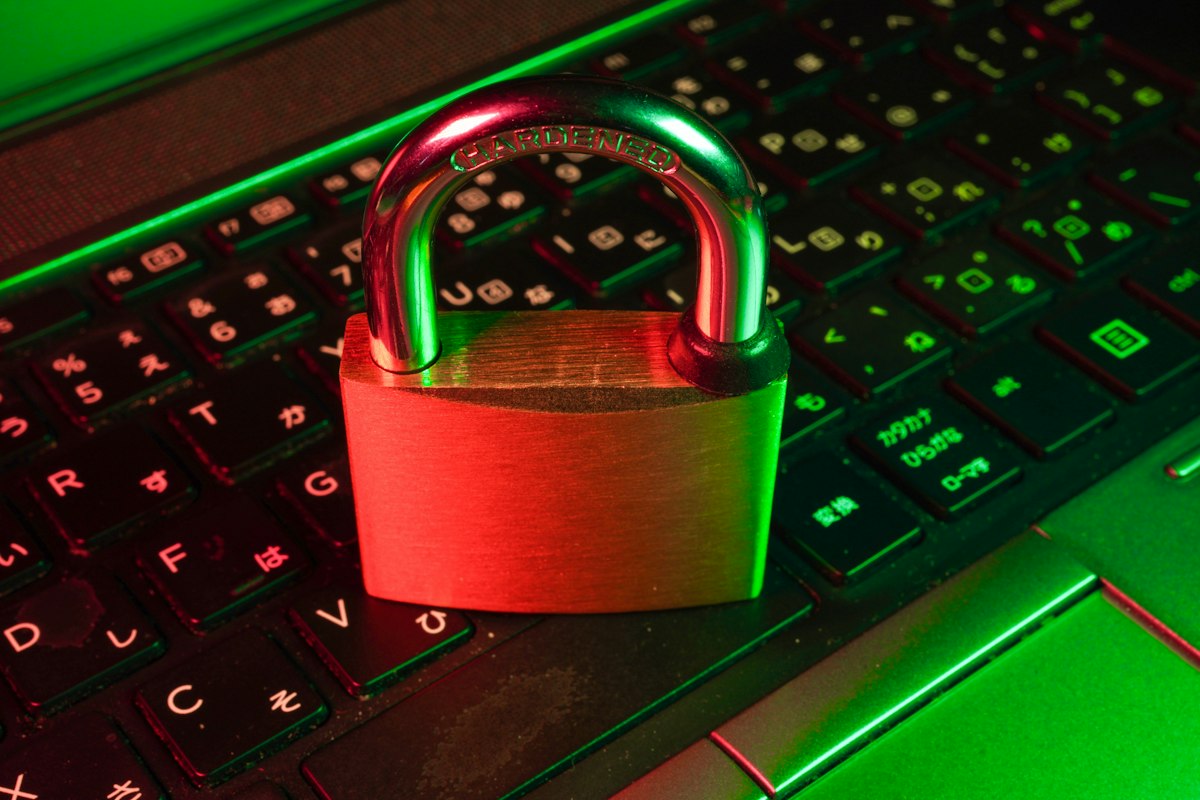
Two-factor authentication (2FA) is the single most effective security measure for Amazon seller accounts. Amazon requires 2FA for all seller accounts and supports authenticator apps (Google Authenticator, Authy, Microsoft Authenticator) and SMS text message verification. Authenticator app-based 2FA is significantly more secure than SMS 2FA — SMS is vulnerable to SIM-swapping attacks where fraudsters convince mobile carriers to transfer a phone number to a new SIM card, intercepting 2FA codes. Taiwan brands should configure 2FA using an authenticator app and store the backup recovery codes in a secure password manager (1Password, Bitwarden, LastPass) rather than in email or on paper.
Password hygiene is foundational to Amazon account security. Your Amazon Seller Central password should be: at least 16 characters, unique (not reused from any other service), randomly generated (not a memorable phrase), and stored in a password manager. Common attack vectors against Taiwan seller accounts include credential stuffing (using leaked username/password pairs from other data breaches), phishing emails impersonating Amazon performance notifications, and malicious browser extensions that capture Seller Central login credentials. Changing your Amazon password every 90 days and auditing it against known breach databases (HaveIBeenPwned.com) reduces credential-based attack risk.
Amazon's account activity log (accessible under Settings > Login Settings > Recent Activity) shows all login events including IP address, device type, location, and timestamp. Taiwan brands should review this log weekly during the first 90 days of US market operations and monthly thereafter. Unexpected login events from US IP addresses (when the brand's team is based in Taiwan), logins from new device types, or multiple failed login attempts are all indicators of potential unauthorized access attempts. Set up Amazon notification alerts for all account changes — these are sent to the primary account email and provide the earliest warning of unauthorized activity.
Primary account email security is often the weakest link in Amazon account protection. If an attacker gains access to your primary email account, they can reset your Amazon password, change 2FA methods, and lock you out of your seller account in minutes. Dedicate a separate email address exclusively to Amazon seller operations — do not use it for marketing newsletters, social media accounts, or personal communications that increase phishing exposure. Use a business email hosted on Google Workspace or Microsoft 365 with its own 2FA, and restrict access to this email account to the minimum number of team members who require it.
User Permissions and Team Access Management
Amazon Seller Central supports multiple user accounts under a single selling account through the User Permissions feature (Settings > User Permissions). Permissions can be granted at granular levels: account management, inventory management, pricing, order management, reports, performance, advertising, and brand registry. Apply the principle of least privilege — each team member should have access only to the specific functions required for their role. A warehouse team member managing FBA shipments needs inventory permissions but not pricing or advertising access. A marketing agency managing Sponsored Products campaigns needs advertising permissions but not financial reporting access.
Never share your primary Amazon Seller Central login credentials with third parties including software vendors, advertising agencies, or virtual assistants. Instead, create secondary user accounts with only the permissions required for the specific task. If an agency requires access to your Advertising Console, create a user account with advertising-only permissions and revoke it when the engagement ends. Taiwan brands working with US-based Amazon service providers (agencies, consultants, software platforms) should audit their user permission list quarterly to remove access for former vendors, departed team members, or one-time task contractors.
Third-party software integrations — repricing tools, inventory management platforms, listing optimization software — require API access to your Amazon seller account. Each integration creates a security surface: if the third-party platform is breached, attackers may gain access to your Amazon account data or, in the worst case, ability to modify listings and inventory. Review your MWS (Marketplace Web Services) or SP-API authorizations under Settings > Manage Your Apps quarterly. Revoke authorizations for software you are no longer actively using. Prefer software platforms with SOC 2 Type II certification, which indicates independent security auditing.
Account suspension recovery is significantly more difficult when account security is compromised alongside the suspension. Amazon's Seller Performance team must verify account ownership during the appeals process, and a compromised email address or phone number can prevent successful verification. Taiwan brands should maintain an updated emergency contact record (primary and secondary email, primary and secondary phone numbers for 2FA) in their Amazon account settings and test that each contact method works correctly at least once every 6 months. Document your Amazon account credentials, 2FA backup codes, and recovery information in encrypted storage accessible to at least two trusted team members to prevent single-point-of-failure lockouts.
Listing Hijacking Prevention and Monitoring
Listing hijacking — where unauthorized sellers attach to your ASIN Buy Box and fulfill counterfeit or inferior products under your brand listing — is the most common active threat to Taiwan brand sellers on Amazon. Hijackers typically sell at prices 10 to 30% below your buy box price, winning the buy box and damaging your brand reputation when customers receive inferior products. Enrollment in Amazon Brand Registry is the primary defense: it allows you to submit infringement reports, use Project Zero (automated counterfeit removal), and use Transparency codes (serialized authentication labels) on your products.
Amazon Transparency requires printing unique QR codes on every product unit before it ships to FBA, allowing Amazon's robots and customers to verify product authenticity at the point of fulfillment. Transparency enrollment costs USD 0.01 to USD 0.05 per unit depending on volume, plus a USD 99 annual program fee. For Taiwan supplement brands, Transparency code printing should be incorporated into the final packaging step at the Taiwan manufacturing facility — print Transparency codes on the label or affix as a tamper-evident sticker before export. The marginal cost of USD 0.02 to USD 0.05 per unit is trivial compared to the brand damage and review bombing that hijacking incidents cause.
Monitoring for listing hijackers requires either manual daily checks of your listing's seller list (click "Other Sellers on Amazon" on your product detail page) or automated monitoring tools. Amazon's native Brand Registry alerts provide email notifications when new sellers attach to your ASIN. Third-party tools including Seller Investigators, AMZ Tracker, and Brandly provide real-time alerts and automated purchase-and-test workflows that order the hijacker's product for physical inspection. When a hijacker is identified, submit a brand infringement report through Brand Registry's Report a Violation tool — Amazon's median resolution time is 3 to 7 business days for clear counterfeit cases.
Project Zero — Amazon's self-service counterfeit removal tool for enrolled brands — allows instant removal of infringing listings without waiting for Amazon's manual review process. Eligibility requires fewer than 5 false-positive removal reports in the trailing 6 months and a minimum brand registry enrollment period of 6 months. Taiwan brands with Brand Registry should apply for Project Zero once eligible, as the instant removal capability reduces the window of brand damage from days to minutes. Maintain records of all hijacking incidents including dates, seller names, ASINs, and resolution outcomes for potential Customs and Border Protection (CBP) trademark recordation enforcement actions against repeat infringers.
Incident Response When Your Account Is Compromised
If you detect unauthorized access to your Amazon seller account, take these actions in order within the first 60 minutes: (1) change your Amazon Seller Central password immediately, (2) revoke all active 2FA sessions (Settings > Login Settings > End All Active Sessions), (3) review and document all account changes made in the past 24 hours (listings modified, bank account changes, shipping settings altered), (4) contact Amazon Seller Support via the help case system to flag the security incident and request account freeze if unauthorized transactions occurred, and (5) change your primary email account password and revoke all active sessions on that email account.
Bank account changes are the most financially dangerous unauthorized action in a compromised seller account. Attackers who gain access to seller accounts frequently change the bank account disbursement details to redirect pending payouts. Amazon has a 3 to 5 business day hold on new bank account additions before allowing disbursements — this security delay is your protection window. If a bank account change is detected in the unauthorized activity log, immediately contact Amazon Seller Support and your bank to block any incoming transfers from Amazon to the unauthorized account. File a police report and IC3 (FBI's Internet Crime Complaint Center) complaint as Amazon may require these for financial fraud claims.
Listing modification attacks — where attackers change your product title, images, or category to suppress your listings or redirect traffic to competitor products — are recoverable but disruptive. Amazon's listing change history (accessible under Manage Inventory > ASIN > Edit Listing > Change History) shows all modification timestamps and sources. When recovering from listing modifications, use Amazon's listing override request through Seller Support to restore original content, and submit a catalog update to lock in your correct product information. Document your original listing content (title, bullets, description, images, category path) in an external file that can be used as evidence in Seller Support cases.
Post-incident security hardening should include: enabling Amazon's IP restriction feature (restrict Seller Central access to your office IP addresses), reviewing and revoking all third-party API authorizations, auditing all team member user accounts and removing inactive ones, and scheduling a quarterly security review. Consider engaging a professional Amazon account management service with security expertise — several US-based Amazon agencies specialize in account security monitoring for international brands. Taiwan brands operating in the US market face heightened targeting by account hijackers due to the perceived difficulty of responding quickly across time zones, making robust monitoring and documented incident response procedures essential for protecting a US FBA business.
Frequently Asked Questions
How do I know if someone has hijacked my Amazon listing?
Signs of listing hijacking include: a sudden appearance of "Other Sellers on Amazon" on your product detail page when you previously had sole buy box ownership, a drop in your buy box win percentage in advertising reports, customer reviews mentioning different packaging or product quality than expected, and increased A-to-Z guarantee claims. Set up daily monitoring using Amazon Brand Registry's alert feature or a third-party tool like Seller Investigators that automatically checks your ASINs for new seller attachments. If you notice your buy box win rate drop below 70% without a price change, manually check your listing for hijackers immediately.
What should I do if Amazon sends a security alert email that I did not initiate?
If you receive an Amazon security alert email (such as a password reset request or new device login notification) that you did not initiate, treat it as an active attack in progress. Immediately log into Seller Central directly (not through the email link) by typing sellercentral.amazon.com in your browser, change your password, review recent activity, and end all active sessions. Do not click any links in the alert email, as some security alert emails are themselves phishing attempts designed to capture your credentials on a fake Amazon login page. Verify the sender email domain is amazon.com (not amazon-secure.com or similar spoofed domains) before taking any action based on the email content.
Can Amazon lock my account if it detects unusual login activity from Taiwan?
Yes, Amazon's fraud detection systems can flag and temporarily lock accounts when login activity deviates from established patterns. Taiwan-based teams managing US seller accounts frequently trigger these flags when logging in from Taiwan IP addresses, especially if the account previously showed only US-based login activity. To prevent lockouts, register your Taiwan office IP addresses as recognized devices in your Amazon account settings, ensure your 2FA app is always accessible, and maintain Amazon Seller Support contact information for rapid account recovery. If your account is locked, contact Amazon Seller Support via the account recovery workflow — identity verification typically requires government-issued ID and business registration documentation.
Sources & References
- —Amazon Seller Central, User Permissions and Account Security, sellercentral.amazon.com
- —Amazon Brand Registry, Project Zero and Transparency Program, brandservices.amazon.com
- —FBI Internet Crime Complaint Center, Online Fraud Reporting, ic3.gov
- —Seller Investigators, Amazon Listing Hijack Monitoring Service, sellerinvestigators.com
Ready to Enter the US Market?
We turn great products into global sales. Contact us today.
Start a partnershipMore Articles
View All →

Cross-Border Trade
How Trade Shows Generate Export Leads: A Practical Guide for Taiwan Brands
8 min read